
Introduction
As a supplier in the Delogue Supplier Portal, you can create a subsupplier library to track the companies you work with for production. You can also create facility locations to document where production takes place and manage production processes.
This information helps your brand customers understand your supply chain network and ensures transparency in the production process. This information could also be used in building supply chain mappings. The subsupplier library and facilities are core features of the Supplier Module.
Table of contents
- Before you start
- How to create the subsupplier library
- How to create facilities and processes
- Add Certificates
Before you start
- Ensure you have logged into your Supplier Portal Account (read more here)
- Make sure you have access to the Supplier Module.
Some features may require specific permissions. - Gather information about your subsuppliers including:
- Company name
- Location details (address, city, country)
- Contact information
- Type of services provided
- Prepare information about your facilities including:
- Facility name
- Physical location
- Facility type (e.g., Manufacturing, Warehouse, Processing)
Video introduction guide
How to create the subsupplier library
The subsupplier library should consist of all the external companies you work with for production. This includes fabric mills, trim suppliers, printing houses, embroidery workshops, and any other partners in your supply chain.
Adding a subsupplier
-
Navigate to Subsuppliers & facilities > Subsuppliers
- Click 'Add supplier'
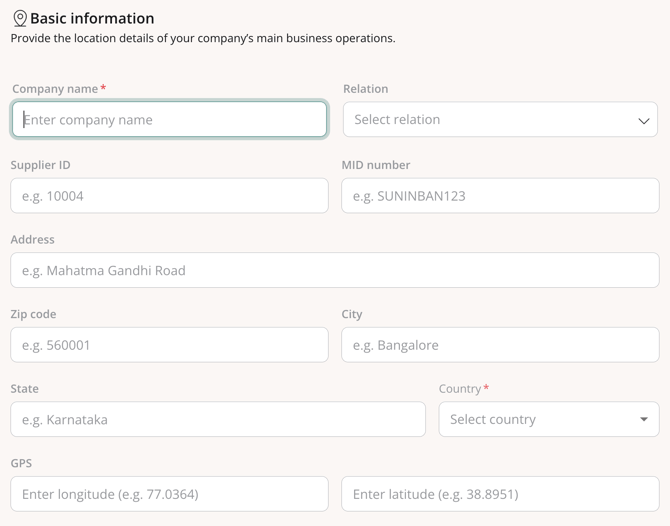
- Fill out the Basic supplier information fields
Mandatory fields are:
- Company name
- Country - Select the relation from the dropdown (e.g., Distributor, Item supplier, Sourcing agency or Style supplier)
Adding contact persons
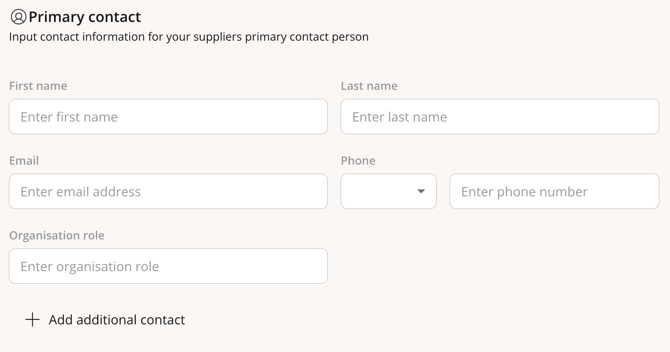
Continue to add the contacts of the subsupplier
- Add information on the Primary contact person by filling out the default fields.
- Add additional contact persons by clicking on '+Add additional contacts'
Once you have field out all relevant information
- Click the green 'Save Supplier' to save
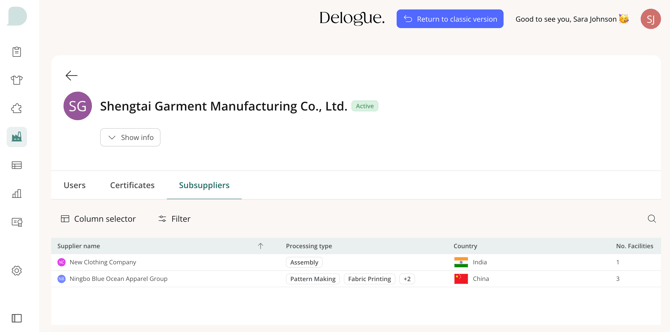
NOTE: All subsuppliers you create will be available for selection when you document supply chain information for specific styles and items shared by your brand customers.
This information will also be available to your brands when viewing your profile.
Company brand view:
Editing subsupplier details
Navigate to: Supplier Module > Subsuppliers
- Hover over the subsupplier row
- Click on the subsupplier name
- In the Basic information tab, click on the 'Edit' button
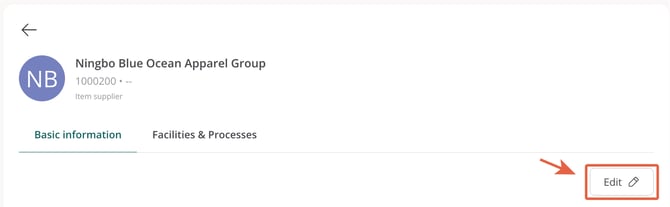
- Update the information as needed
- Click 'OK' to save your changes
NOTE: Changes to subsupplier information are immediately visible to all your brand customers who have access to your supply chain data.
Deactivating subsuppliers
If you no longer work with a subsupplier, you can archive (deactivate) them instead of deleting. To reactivate an archived subsupplier, return to Subsuppliers & facilities > Subsuppliers, filter by archived status, select the subsupplier, and choose Unarchive from the actions menu.
Navigate to: Supplier Module > Subsuppliers
- Select the the subsupplier by checking the box on the left side
-
Click on the 3 dots, for additional actions
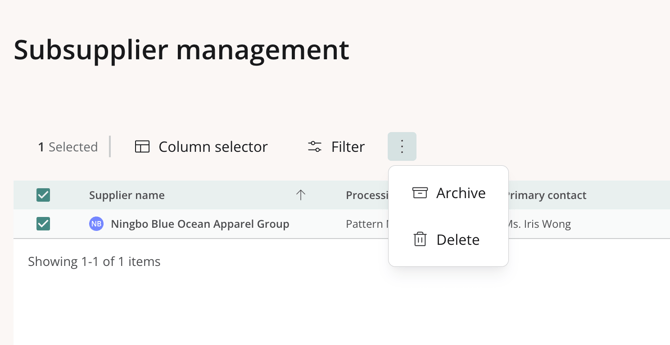
- Select 'Archive'
- A confirmation pop-up will appear
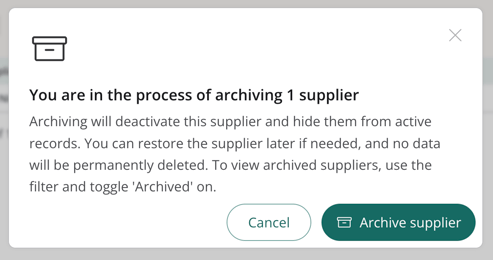
- Click 'Archive supplier' to conform and deactivate the subsupplier.
INFO: Inactive subsuppliers will not appear in selection lists for new styles or items, but existing data is preserved for historical reference.
How to create facilities and processes
Facilities are physical locations where production takes place. This includes your own factories, warehouses, and any other locations in your production network. This information can be used to map supply chains for Styles and Items.
Creating a facility
In order to create facilities, you can either add them to the specific subsupplier (Option 1) or create them directly in the facility tab (Option 2). If you manage the facility yourself, we recommend going with option 2.
Option 1 - Create a facility on the specific subsupplier:
Navigate to Subsuppliers & facilities and select a specific subsupplier.
- Click on the name of the subsupplier
- Click on the 'Facilities and Processes' tab
- Click 'Add Facility& process'
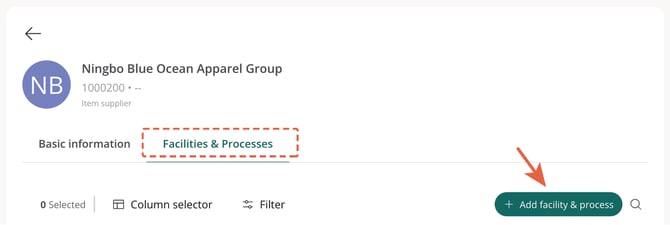
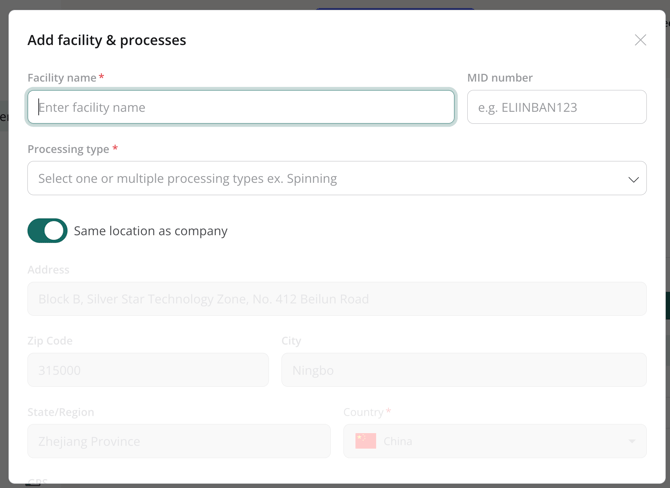
A pop-up will appear where you will be able to add facility details and address information.
The mandatory fields are:
- Enter facility name
- Processing type
INFO: the processing types are predefined by Delogue PLM. Select from the drop-down list.
By default, the location will be the set as the same as the subsuppliers company, but you can change this by toggling of the 'Same location as company'.
Option 2 - Create a facility in the Facility tab:
Navigate directly to the 'Facilities' tab and click 'Add facility'.

A pop-up will appear where you will be able to add the details.
The mandatory fields are:
- Facility name
- Processing type
- Associated Supplier
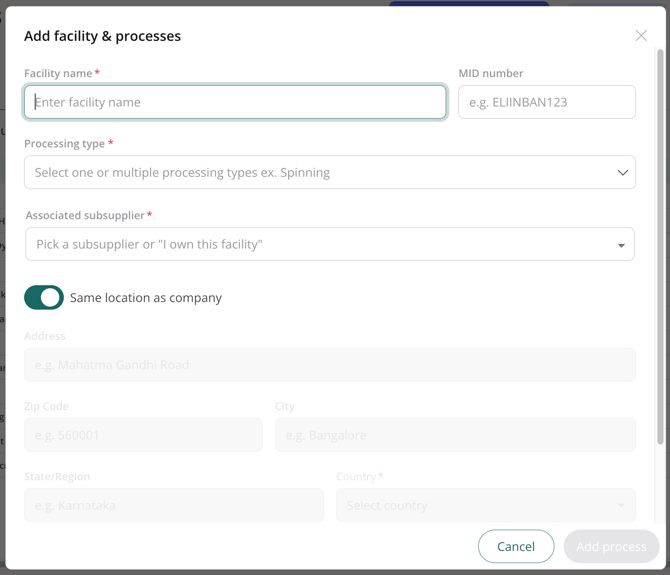
Note that under Associated Supplier, you can select a subsupplier or choose "I own this facility" if you manage it yourself. Owned facilities display a clear badge to indicate this.
INFO: the processing types are predefined by Delogue PLM. Select from the drop-down list.
By default, the location will be the set as the same as the associated subsupplier/company, but you can change this by toggling of the 'Same location as company'.
NOTE: Facility information is shared with your brand customers to provide visibility into your production network.
Best practices
- Keep information up to date - Update subsupplier and facility details whenever changes occur
- Use clear naming - Use official, recognisable names for facilities and subsuppliers so they are easy to identify in supply chain mappings.
- Add contact details - Include phone numbers and emails to facilitate communication
Add certificates
Before a certificate can be mapped, it must be linked to its corresponding facility. As a supplier, you can manage both your facility and product certificates in Subsupplier Management. By uploading a certificate just once per facility, you can seamlessly reuse it across all mapping requests and brand partnerships—saving you a significant amount of time.
You can add certificates in two ways: Add them directly to your subsupplier (1), or upload them to the Certificates tab and link them to your subsupplier afterward (2).
Option 1 - Add certificates to your subsupplier:
- Navigate to Subsuppliers & facilities and select the relevant supplier.
- Go to the Facilities and Processes section.
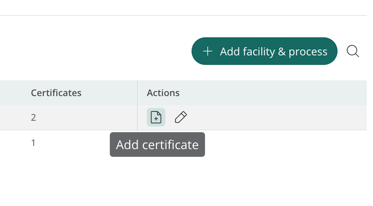
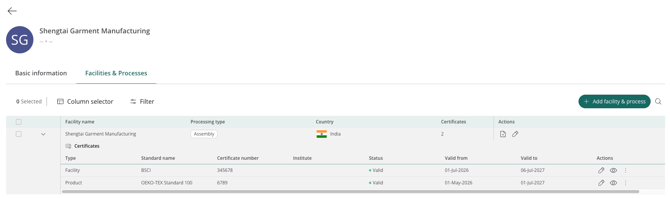
- On the right hand side, select the action icon saying 'Add certificate'
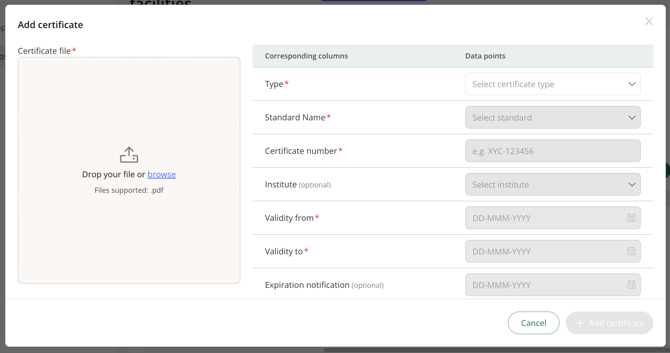
- Add the certificate details such as type, certificate number and validity dates.
- Upload as many certificates as needed.
Once added, your certificates will be listed in a clear overview showing their type and validity dates. You can easily view or edit any certificate under the Actions column.
Option 2 - Upload certificates to the Certificates subtab and link with your subsupplier
- Navigate to Subsuppliers & facilities > Certificates and click 'Add certificate'
- Fill in all the certificate details, upload the certificate and add the linked facility
