Introduction
The Supplier Portal is a unified account system that allows your suppliers to manage relationships with multiple brand customers through a single login. This replaces the previous system, where each supplier had separate accounts for each brand they worked with.
With the Supplier Portal, your suppliers gain access to Delogue 2.0 features, including subsupplier management, and enhanced supply chain mapping (coming soon) across all their brand relationships.
Table of contents
- What is the Supplier Portal?
- Benefits for your organization
- Legacy suppliers vs. Supplier Portal accounts
- The Direct Supplier Overview
What is the Supplier Portal?
The Supplier Portal is a new way for suppliers to access Delogue PLM. Instead of having separate accounts for each brand customer, suppliers create one unified Supplier Portal Account that connects them to all their brand customers.
Learn more about the Supplier Portal Account in the sections below.
Before the Supplier Portal:
- Each supplier had a separate account for each brand they worked with
- Suppliers had to log in separately to access each brand's data
- Brands managed supplier information & users
- Duplicate supplier records were common
With the Supplier Portal:
- Suppliers have one account for all brand relationships
- Suppliers log in once and access all their brand customers
- Suppliers manage their own information & users.
NOTE: Brands still have the ability to manage brand-specific access for supplier users.
- Suppliers can build their facilities and subsupplier libraries to be leveraged across all brand relationships.
Benefits for your organization
Improved data quality
- Suppliers maintain their own company information (address, phone, website, etc.)
- Reduces data entry errors
- Always up-to-date contact details
Enhanced supply chain visibility
- Access to supplier's full network of subsuppliers and facilities
- Better understanding of production locations and processes
- Improved traceability and compliance
Legacy suppliers vs. Supplier Portal accounts
Learn the difference between the Legacy Supplier and Supplier Portal Account
|
Feature |
Legacy Supplier |
Supplier Portal Account |
|
Account structure |
One account per brand |
One account for all brands |
|
Profile Management |
Brand controls supplier info |
Supplier controls own info |
|
Login |
Separate login per brand |
Single unified login |
|
Access to Delogue 2.0 |
No |
Yes |
|
Supplier Module Access |
No |
Yes |
|
Supply Chain Access |
No |
(Coming soon) |
|
Subsupplier Library |
No |
Yes |
|
Facility Management |
No |
Yes |
NOTE: Legacy suppliers can still access the Delogue Legacy platform, but cannot use new features in Delogue 2.0 until they convert to a Supplier Portal Account.
The Direct Supplier Overview
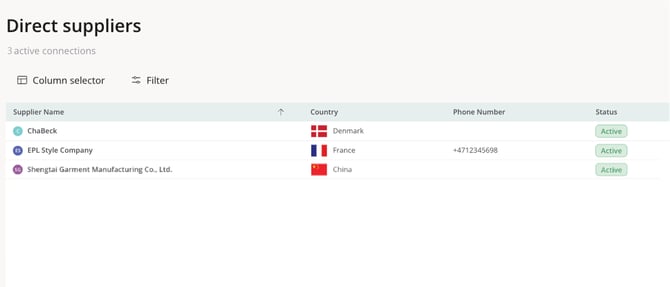
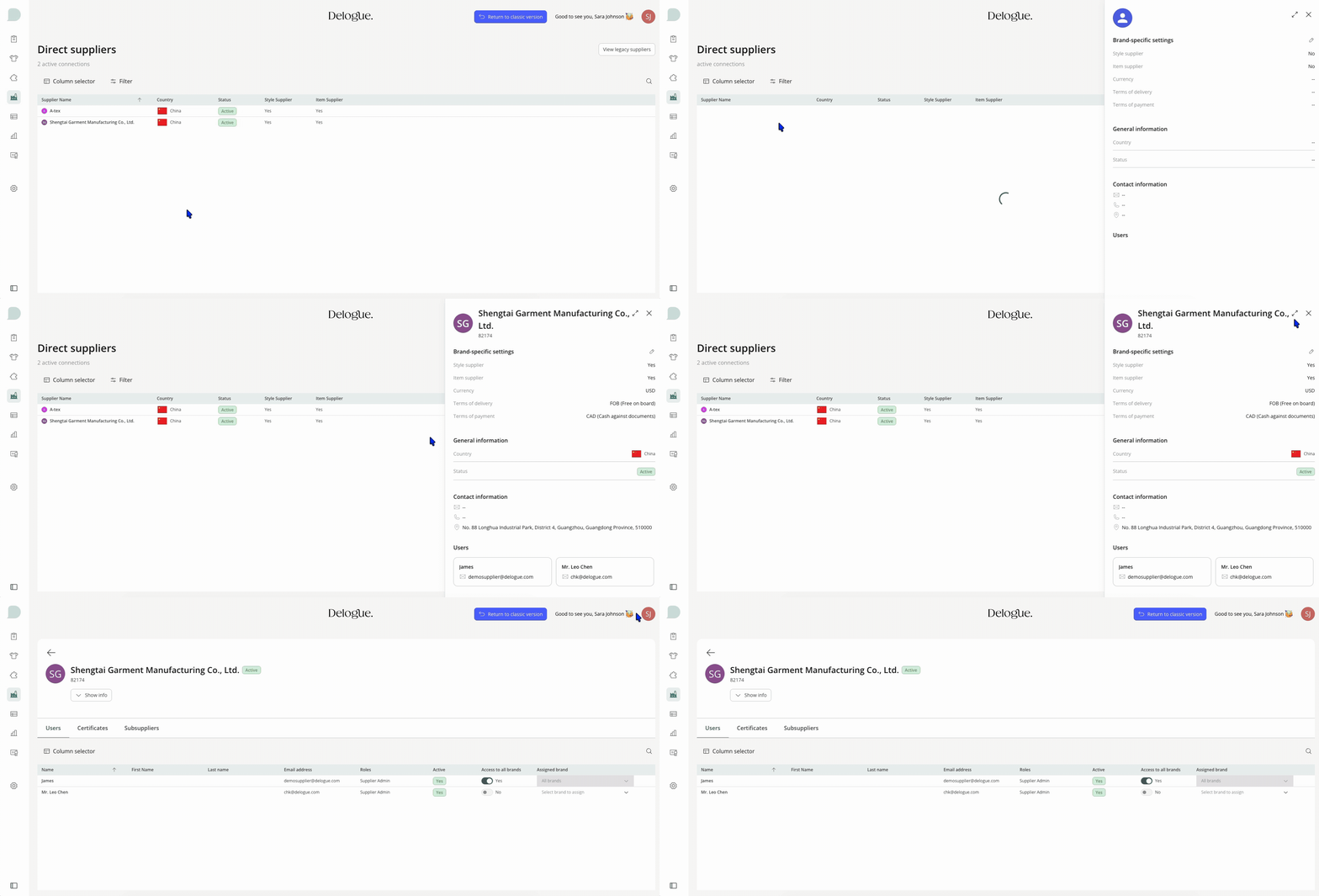
The direct supplier overview is an overview of all your suppliers whom have already completed the merging process.
-
In the left-hand side navigation bar, select Suppliers > Direct suppliers
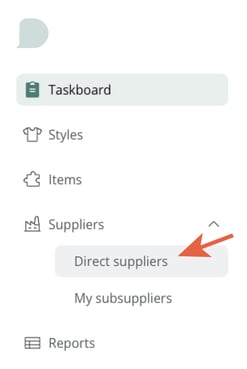
- View the overview of your suppliers
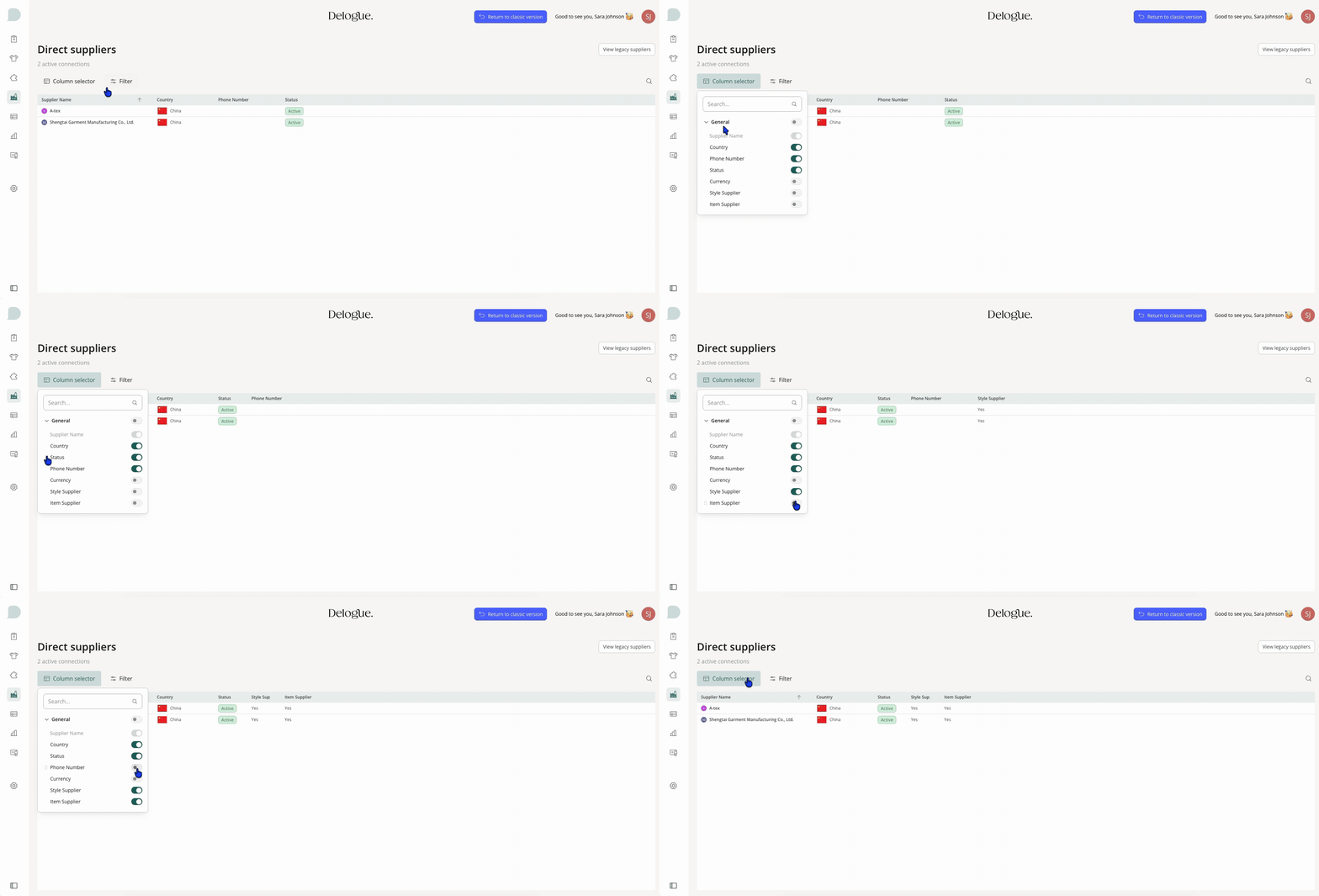
Adjusting the view
You can mange your own view and adjust any columns or apply a filter to hide/show any inactive suppliers.
View Supplier Details
-
Click on the name of any supplier, to view the supplier details.
-
This will open a drawer on the right-hand side of your screen.
-
Expand the view to include even more details.
Expanded view
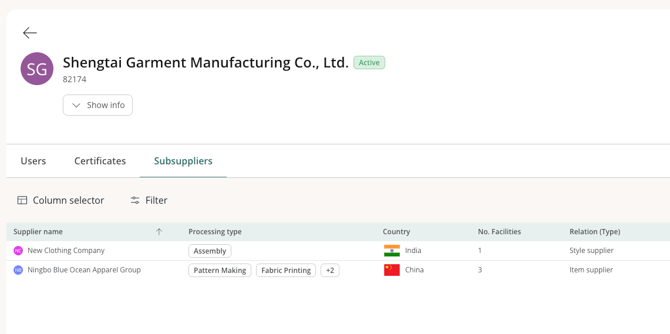
In the expanded view of your direct supplier, you will be able to see more information about each supplier user and their subsuppliers.
Visibility into supplier certificates will also be available in this view (Coming soon).
Edit Brand-specific Settings
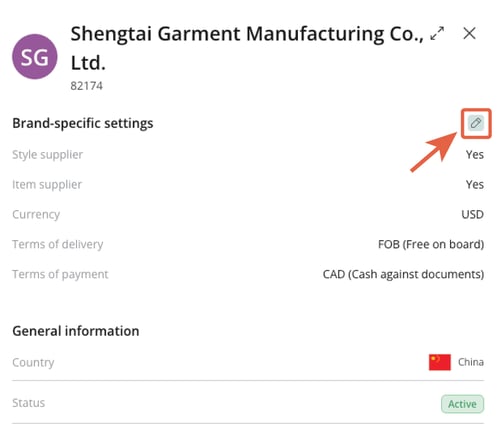
As a brand user with either the 'company admin' or the 'supplier manager' role, you are allowed to update any brand-specific settings of your supplier.
- Style supplier access
- Item supplier access
- Currency
- Terms of delivery
- Terms of payment
Manage supplier users
Adding new users
Your portal supplier is in charge of adding any new supplier users to their organization.
This means that you can no longer add any new supplier users directly in your legacy platform or in the supplier portal.
Any Supplier Admins from the supplier organization, will be able to add the new users directly in Delogue 2.0.
Manage supplier user's access
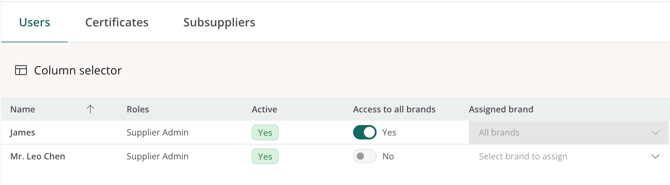
As a Brand user with either the 'company admin' or the 'supplier management' role, you will be able to assign access for each of the registered supplier users.
- Access to all brands: this will allow the user to access all brands within your platform.
- Yes / No toggle
- Assigned brand: this restricts the user in accessing all brands within your platform. If no brands are selected, then the user will not have access to your platform.
- Drop-down selection of brands